Porting OneShot: World Machine Edition
This one took a while. Not because any single problem was hard, but because almost every failure in this game presents as a different failure than the one you actually have. Four separate times I went chasing something that turned out to be a symptom.

There's no Linux build, so this starts from the Windows release: MonoGame/C#, 64-bit, run under Mono on aarch64. No native game code to worry about, which sounds easy right up until the managed code starts P/Invoking into the Windows DLLs it was built against. Every fix below is a MonoMod patch or a launcher change. Nothing ships a modified game binary.
1. The crash that wasn't the crash
First launch, straight to a GDI+ error. Something about libgdiplus. Fine, I
thought, that's a known Mono thing, I'll just ship the library.
Except that made no sense. This is a pixel-art adventure game. Why would it need GDI+ at startup, before it's drawn anything?
try {
    steamMan = new SteamManager();
} catch (Exception e) {
    // LogManager.Log's Error branch ends with MessageBox.Show(text)
    logMan.Log(LogManager.LogLevel.Error, ...);
}
SteamAPI.Init() was throwing, because it P/Invokes into steam_api64, a native
Windows DLL that Mono cannot load on Linux, ever. The game caught that exception
and tried to report it through a WinForms message box, which needs GDI+, which
isn't there. The real error was destroyed on its way to being reported, and I'd
been about to fix the error handler's dependency instead of the error.
The fix is a fully managed Steamworks.NET.dll that replaces the real one. No
native Steam anywhere. SteamAPI.Init() returns false, achievement calls are
no-ops, and GetConnectedControllers() always returns 0.
That last one matters, because the game already has this:
Report no Steam Input controllers and it falls straight through to MonoGame's own gamepad path. Nothing is lost.
One catch: the stub's AssemblyVersion must be exactly 20.2.0.0, matching the
real library, or the game won't bind to it.
2. MissingMethodException: op_Equality
Stub in place, new crash. The game does someHandle == otherHandle on
Steamworks' handle structs, and the compiled IL calls op_Equality directly. My
stub structs were plain ulong wrappers with no operators.
All four handle types needed IEquatable<T>, Equals, GetHashCode, == and
!=:
InputHandle_tInputActionSetHandle_tInputDigitalActionHandle_tInputAnalogActionHandle_t
I only found this by actually running the game on my PC against an x86_64 FMOD build, rather than reading device logs and guessing. Every stub you write is an API surface you're promising to honour, and the compiler will not tell you which parts of that promise the game calls.
3. Getting rid of GDI+ entirely
With Steam fixed the game booted, but libgdiplus was still on the shopping list
for two real call sites: the MessageBox.Show above, and Screen.AllScreens in
generateAvailableResolutions().
I could have shipped it, but libgdiplus.so.0 pulls in libX11, cairo, fontconfig,
glib-2.0, libjpeg, libpng, libtiff, libgif, freetype and libexif. That's an entire
desktop GUI stack, bundled so that two incidental calls keep working on a device
with one fixed display and no window manager.
So instead, two MonoMod patches.
The MessageBox.Show call gets deleted outright: push arg, call, pop result,
three instructions gone. Error logging still writes to the console and log.txt,
which is where you actually want it. Errors on this path can finally be seen
instead of masked, which is exactly what bit me in section 1.
Screen.AllScreens gets replaced with an empty array:
The foreach after it simply doesn't run. Every hardcoded resolution is already
in the list before that call.
It has to be newarr rather than a helper call. Creating an array of a type does
not run that type's static constructor, whereas touching any member of Screen
would, and Screen's cctor is itself a GDI+ trip. Get this wrong and you
reintroduce the exact dependency you're removing.
4. The patch that silently did nothing
Wrote the MonoMod patch. Merge succeeded. Ran it. Nothing happened. No error, no warning, no diagnostic, the original behaviour just carried on.
I had written private static void Main(string[] args). The game has
static void Main().
MonoMod merges by exact signature. A mismatched signature is not an error. It's just a new overload, sitting quietly next to the untouched original, never called. The merge reports success. Everything looks right. Nothing happens.
I found it by running ikdasm and reading the .entrypoint directive instead of
continuing to guess. When a patch appears to do nothing, verify that the thing
you're patching is the thing you think it is, before assuming your logic is wrong.
5. No audio, and no error about it
Game running, no sound. Not "wrong sound": silence, and nothing in the log. FMOD
was returning FMOD_RESULT 20, ERR_HEADER_MISMATCH, and the game wasn't
checking.
Two wrong turns first. I grabbed libfmodstudio.so, which is not the same library
as Core. nm -D settles it instantly:
$ nm -D libfmodstudio.so | grep FMOD_System_Create
U FMOD_System_Create   # undefined, it needs this

$ nm -D libfmod.so | grep FMOD_System_Create
T FMOD_System_Create   # defined, it exports this
Then, since "header mismatch" obviously means the wrong FMOD version, I went hunting for the exact matching build. It is not a version problem at all.
The game declares one argument:
Disassembling the real aarch64 libfmod.so.13, FMOD5_System_Create turns out to
be exactly one instruction:
That's a naked tail-call into the real function, which takes two arguments:
A bare branch does not touch registers, so whatever garbage happened to be in the
second argument register got passed as headerversion. It essentially never
matches by chance.
To be sure I wasn't guessing, I cross-compiled a test with aarch64-linux-gnu-gcc
and ran it under qemu-aarch64-static against the real library. Every value from
0x00020202 through 0x00020218 succeeded, and only the 2.01.x line failed. The
check is lenient about the patch number, so it really was just the missing
argument.
The fix redirects the call to a declaration that passes both arguments. Same stack effect either side, so the IL change is literally swapping the call target.
6. A quarter of a game
Graphics device created, game runs. But launched from the frontend only the top-left quarter is on screen, while over SSH it is perfect. That difference is the entire clue, and it is an accident.
graphics.PreferredBackBufferWidth  = OutputScreenSize.X;  // 1280
graphics.PreferredBackBufferHeight = OutputScreenSize.Y;  // 720
// ...
if (Game1.steamMan.IsOnSteamDeck) {
    SetFullscreen(true);
}
That's the only SetFullscreen(true) in the constructor, and it never runs,
because the Steam stub correctly reports that this is not a Steam Deck. So on a
640x480 panel you get a 1280x720 window and see roughly a quarter of it.
Why does SSH work? With no display server, SDL drives KMSDRM directly and clamps
the oversized window to a real panel mode. That fires ClientSizeChanged into
GraphicsManager.OnResize, which snaps the backbuffer back to something that
fits. From the frontend the window is created at its literal requested size, no
resize event ever fires, and nothing corrects it. OnResize is also explicitly a
no-op while fullscreen, so going fullscreen doesn't paper over the symptom. It
removes the dependency on that accident.
I was briefly tempted to make IsOnSteamDeck return true and take the handheld
path the developers already wrote, but it's used in 15 places: it swaps in Steam
Deck button glyphs and hides the display settings menu.
So the patch appends SetFullscreen(true) to the constructor, then
SetDrawResolution(GetDrawResolutionForOneshotMaximized()). That second call is
the game's own helper for deriving an aspect-correct draw size from the output
size, worth using rather than picking a resolution myself, because the final blit
stretches draw size to output size with no letterboxing, so a mismatched aspect
visibly distorts. On a 640x480 panel it picks 1280x960. On my 3440x1440 ultrawide
it picked 2293x960. Both exact.
One IL detail nearly got me. You cannot just insert before the constructor's
trailing ret, because that Steam Deck if compiles to a branch straight to the
final ret:
Since the condition is always false, that branch is always taken, so anything
inserted before the ret gets jumped clean over, and the patch does nothing,
silently, again. Instead, rewrite the existing ret in place into ldarg.0, then
append the call and a fresh ret after it. Branch targets are instruction
references, so the branch now lands on the new code and every path reaches it.
It also has to be pinned, or saves undo it. Loading a save does
Game1.gMan.SetFullscreen(data.isFullscreen), and a save written while the
display was broken stores false, so the game comes up correctly and then puts
itself back into an oversized window a second later. SetFullscreen gets its
argument forced to true (ldarg.1 becomes ldc.i4.1), leaving the "enter
fullscreen" direction working and ignoring only "leave". Windowed mode has no
meaning on a fixed single-display handheld anyway.
7. Saves, and one last trap
The game saves to Environment.SpecialFolder.ApplicationData, and the usual
PortMaster template redirects with XDG_DATA_HOME. That does not work here, which
I tested rather than assumed:
$ XDG_CONFIG_HOME=/tmp/probe_cfg mono appdata_probe.exe
ApplicationData = /tmp/probe_cfg

$ XDG_DATA_HOME=/tmp/probe_data mono appdata_probe.exe
ApplicationData = /home/user/.config
Mono maps ApplicationData to XDG_CONFIG_HOME and ignores XDG_DATA_HOME
entirely. Saves now land in the port's own savedata/ where they belong.
Closing thought
Every patch here hooks by reflection through MonoMod.RuntimeDetour.ILHook
rather than through generated HookGen bindings, so nothing holds a compile-time
reference to the game assembly and one build works regardless of what the
executable is named.
The recurring theme, though, is not a MonoMod technique. It's that this game reports four of its failures as something other than what they are:
- The Steam error became a GDI+ crash.
- The FMOD argument bug became a version mismatch.
- The missing GL wiring became a device-creation failure.
- The windowed backbuffer became "works over SSH, breaks from the frontend."
Every one of those cost real time to the first plausible-but-wrong explanation.
The tools that actually ended arguments were the boring ones: nm -D, ikdasm,
objdump, and a cross-compiled test binary under QEMU. When something looks like
a version mismatch, go read the disassembly before you go hunting for versions.
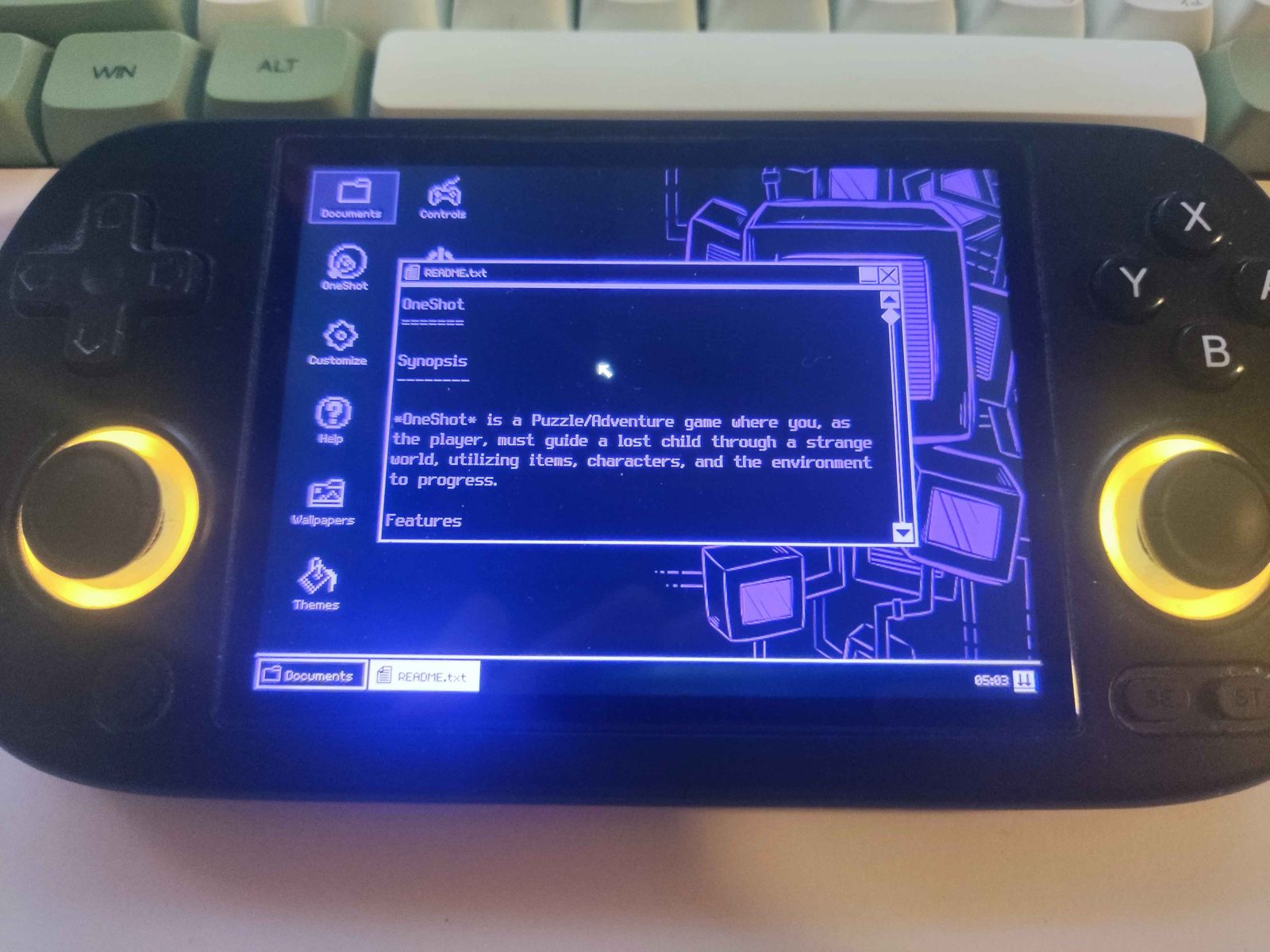
The World Machine desktop, running on hardware.